Calculator Launcher
- 4.1
- Rating
- 1.00M
- Installs
- Free
- Price

 Analysis by App-foxy
I tend to notice calculator apps only when the built-in calculator feels too slow to reach. Calculator Launcher takes a different approach: it treats calculation as something I should be able to open quickly, rather than as an app I need to search for and then use. After spending time with it, I found a focused tool for quick arithmetic and unit conversions, with a simple purpose and very little distraction.
It is made by AtomApplications and sits in the tools category. The app is free, suitable for Everyone, and currently has a 4.1 average from around 15 thousand ratings, with more than a million installs. Those figures suggest that its appeal is easy to understand: many people want a calculator that is available immediately, especially when they are switching between apps, checking a price, or converting a measurement.
My overall impression is positive, but specific. This is not the calculator I would choose for advanced mathematics, detailed financial planning, or a long chain of technical work. I would choose it when speed matters more than a large collection of specialist functions. Its strongest quality is the way it places ordinary calculations and conversions close to the rest of my phone activity.
You May Also Like

 Blood Strike: 2.5 Anniversary
Blood Strike’s Loadouts Turn Every Drop Into a Tactical Gamble
A close look at Blood Strike’s custom loadouts: how fast access to signature weapons reshapes its battle royale rhythm, rewards preparation, and narrows the gap between fights.

 Pandora - Music & Podcasts
Pandora’s Music Is Easy to Start, but Harder to Recover
Pandora’s strength is its low-effort path from a seed to a station. Its weak spot is how much confidence it asks you to place in connection, setup, and quiet recovery.

 8 Ball Pool
 Is Built on Rivalries, Rematches, and Routine
A close look at the rivalries, rematches, shared routines, and unanswered safety questions that turn a quick pool match into a persistent mobile community.

 Samsung Music
’s Quiet Strength Is Playing What You Already Own
Its reach comes less from spectacle than from dependable access to a personal library. That simplicity is both the app’s strongest retention engine and its ceiling.

 AccuWeather: Weather Radar
AccuWeather Review: A Quick, Clear Forecast for Everyday Decisions
For everyday plans, the best forecast is the one you can understand quickly. AccuWeather makes rain timing, radar, and local conditions easy to act on, with a few trade-offs.

 Hill Climb Racing
Why Hill Climb Racing Still Turns Crashes Into One More Run
A tiny car, a bumpy hill and one more upgrade: Hill Climb Racing keeps resurfacing because its simple chaos makes every near-miss feel personal.
More From Our News Desk



How the current version feels in everyday use
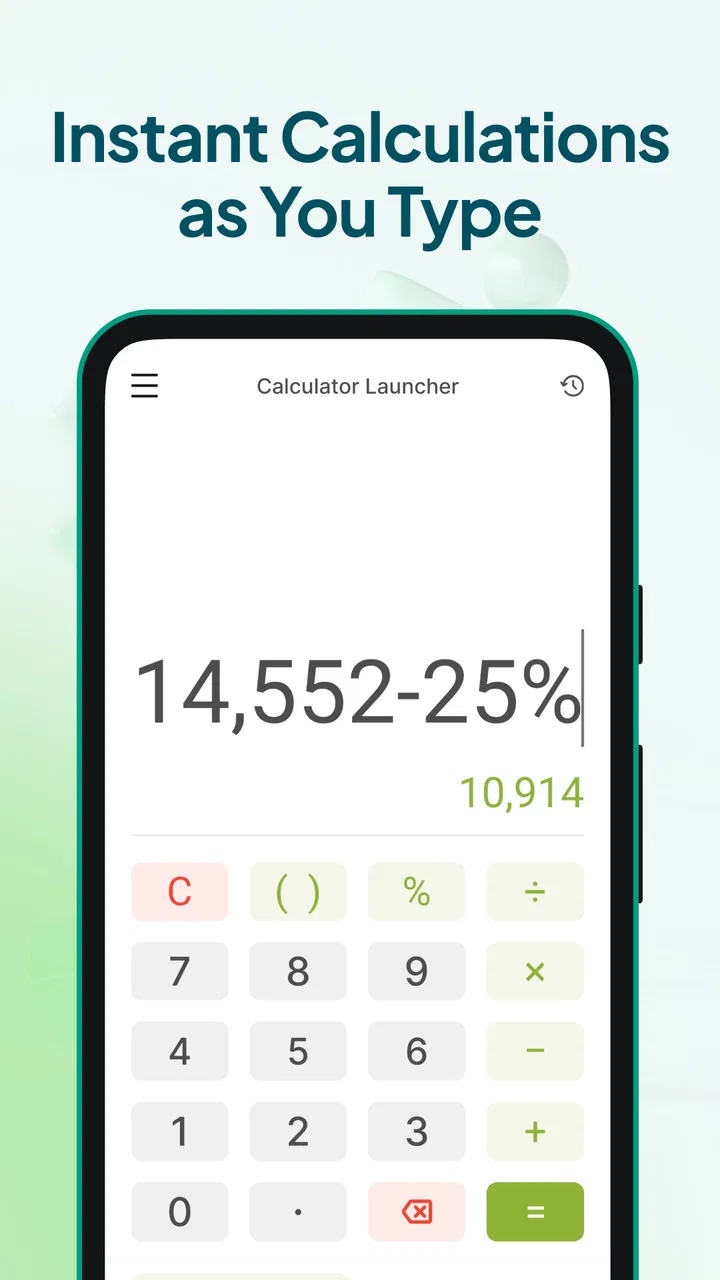
The current version is 3.20.0, and the product feels mature rather than experimental. The basic experience is built around two common needs: entering a quick calculation and changing a value from one unit to another. That combination is more useful than a plain four-function calculator because everyday questions rarely stop at addition or multiplication.
For example, when I am comparing two products, I may calculate the cost per item and then convert a weight or volume to a unit I understand better. A conventional calculator can handle the first part, but it usually sends me to a separate search or conversion tool for the second. Keeping both tasks in one compact utility reduces the small interruptions that make simple jobs feel annoying.
The “launcher” idea is important here. I do not think of this as an app for sitting down and doing a long worksheet. I think of it as a quick doorway into a calculation. That makes it a natural fit for checking a discount, splitting a bill, estimating travel quantities, or working out how much material is needed for a small household task.
In one realistic situation, I used the same kind of workflow while comparing grocery packages. I could work out the price difference, then use a conversion to compare package sizes more fairly. The benefit was not that either operation was difficult. The benefit was avoiding the familiar pattern of opening the calculator, leaving it to search for a conversion, returning to the calculator, and trying to remember the earlier result.
That convenience also explains who will appreciate it most. If you often perform short calculations while reading messages, shopping, cooking, studying, or planning a trip, the app has a clear role. It is particularly sensible for people who do not want a full productivity suite just to handle numbers.
What makes the launcher approach useful
The most useful way to think about this app is as a bridge between a phone shortcut and a dedicated calculator. The normal phone calculator is familiar, but it may require several taps to find. A web search can answer a conversion, but it introduces results, distractions, and possible confusion about which unit system is being used. Calculator Launcher aims to keep the task local and direct.
I also like the separation between a quick calculation and a conversion task. Those jobs look similar, but they require different kinds of attention. Arithmetic asks whether the expression is correct; conversion asks whether the source and destination units are correct. Treating them as distinct actions makes it easier to catch mistakes before relying on the result.
A practical tip is to decide what you are trying to compare before entering numbers. If you are checking a price, calculate the common basis first, such as cost per item or cost per weight. If you are changing units, write down the source unit mentally before touching the conversion controls. This is not a special feature, but the app’s fast workflow makes it tempting to enter numbers quickly, and a moment of preparation prevents a surprisingly common error.
Another useful habit is to use it for estimates, not as a replacement for professional calculation software. For a renovation, recipe adjustment, or travel plan, it can help me get a quick answer. For engineering, tax work, medication calculations, or anything where a rounding mistake could cause harm, I would verify the result with a trusted specialist tool and the relevant instructions.
Changes, maturity, and what the version tells me
The move to version 3.20.0 indicates that the app has gone through substantial iteration since its release on October 17, 2023. I would not treat the version number alone as proof that every part of the experience is perfect, but it does fit the impression of a utility that has been refined over time rather than launched and forgotten.
For existing users, that maturity matters in a quiet way. A calculator launcher has to feel predictable. The value is lost if the opening action is inconsistent, if a previous task gets in the way, or if the conversion workflow feels more complicated than using a search engine. A later version gives me more confidence that the developer, AtomApplications, is treating the app as an ongoing product.
At the same time, I would separate confirmed current information from expectations. The app is available now in version 3.20.0, but that does not promise a particular future redesign or a new group of functions. I would watch future updates for improvements that make rapid entry clearer, preserve the straightforward layout, and expand usefulness without turning the app into an overloaded scientific calculator.
The minimum operating-system requirement is Android 10. That is a reasonable boundary for many current phones, but it is still relevant if you are using older hardware. Before planning to rely on it on an aging device, check that the phone meets that requirement. This is one of the few practical compatibility questions that can decide whether the app is useful to you at all.
Where it fits compared with ordinary alternatives
The built-in calculator remains the better choice for someone who only needs basic arithmetic and already has instant access to it. It is familiar, usually integrated with the phone, and often sufficient for a quick sum. Calculator Launcher earns its place when the shortcut-oriented design and unit conversion workflow save time repeatedly.
A browser or search assistant is more flexible when the question is unusual. It may explain a formula, provide context, or handle a conversion that requires interpretation rather than a simple input and output. The trade-off is that searching can be slower and less focused. For a clean, self-contained calculation, I prefer a dedicated tool.
Scientific calculator apps are the stronger option for trigonometry, logarithms, graphing, statistics, or classroom work. They offer depth that this app is not trying to provide. The problem is that their extra controls can make a basic calculation feel crowded. I would not install a scientific calculator merely to compare package sizes or split a restaurant bill.
Spreadsheet apps are better when I need a reusable model. If I am tracking monthly expenses, changing several assumptions, or preserving a record for later, a spreadsheet wins because the structure matters. Calculator Launcher is better for a one-off answer that I do not need to organize into a table.
This distinction is important because “quick” does not automatically mean “best.” The right choice depends on whether I need speed, explanation, advanced functions, or a permanent record. This app is strongest at the first of those goals.
Small workflow details that affect accuracy
Unit conversion deserves more attention than it usually gets. A numerical result can look convincing even when the wrong unit was selected. I recommend checking both ends of the conversion before accepting the answer, especially when moving between metric and imperial measurements or when dealing with area, volume, and temperature. Those categories are easy to confuse because the numbers do not behave like simple length conversions.
For currency, I would be especially cautious about treating any result as a live financial truth. A calculator can perform the arithmetic correctly, but a price or exchange rate is a separate matter. When the decision involves real money, I would confirm the current rate or price from the relevant source and then use the app to calculate the comparison.
There is also a useful mental division between “checking” and “recording.” I use a launcher-style calculator to check an idea: can I afford this, how many servings will this make, or how long might this take? If the answer needs to be revisited tomorrow, I move it into notes, a spreadsheet, or another record-keeping tool. That prevents a temporary calculation from becoming a forgotten decision.
For students, the app can be handy for quick homework checks, but I would not use it as a substitute for understanding the method. Entering an expression and seeing a result does not explain why the result is correct. A student who needs steps, graphing, or symbolic manipulation should choose an educational calculator or mathematics app instead.
Remaining gaps and situations where I would skip it
The focused design is also the main limitation. People who expect a complete mathematical toolbox may find it too narrow. If your regular work includes formulas, advanced functions, repeated datasets, or detailed history, a more specialized calculator will probably feel more comfortable.
I would also skip it if my main requirement is a permanent calculation history that can be organized into projects. A quick launcher is excellent for temporary tasks, but a project-based tool is more appropriate when several calculations belong together and need to be audited later.
There is a human limitation as well: speed can encourage carelessness. The faster I open a calculator, the more likely I am to enter a number without checking whether it belongs to the right item, quantity, or unit. The app can reduce friction, but it cannot decide whether the question was framed correctly. For important results, I still repeat the calculation or estimate the expected range before acting on it.
Older-device users should pay attention to the Android 10 requirement. The app is free and rated for Everyone, which makes it approachable, but those points do not remove the compatibility question. If an older phone cannot run it, the built-in calculator may be the more practical answer.
I would not recommend it as the only numerical tool for a professional who needs documented calculations. Its appeal is everyday convenience, not formal reporting. That is not a criticism of its purpose; it is simply the boundary I would keep in mind before depending on it for work where another person must review every step.
Who should install it now
I think it is a good match for people who repeatedly ask small numerical questions throughout the day. Shoppers can compare unit costs, cooks can adjust quantities, travelers can switch measurements, and anyone sharing expenses can work out a quick split. The app is also useful for people who dislike opening a browser for a task that should take only a few seconds.
It is less suitable for someone looking for a scientific calculator, a budgeting system, a spreadsheet, or a teaching tool. Those users need more depth than a launcher-centered utility is designed to provide. Installing it will not make a complex numerical workflow simpler if the real problem is the need for history, formulas, or documentation.
The free price makes trying it low-risk, and the Everyone rating means it is positioned as a general-purpose tool rather than something aimed at a narrow age group. Still, I would judge it by frequency of use. If I reach for conversions and quick calculations several times a week, the shortcut is worthwhile. If I calculate something only once a month, the phone’s existing tools may already be enough.
What I would watch in future updates
For future development, I would value improvements that preserve the app’s speed while making mistakes easier to spot. Clearer confirmation of source and destination units would be useful, as would a history experience that remains lightweight instead of becoming a full spreadsheet. The challenge is to add confidence without adding the clutter that the app is meant to avoid.
I would also watch how well the launcher concept continues to fit newer Android habits. A quick tool should remain easy to reach without demanding a complicated setup or forcing users through unnecessary screens. Any evolution should protect the central promise: open, enter, check, and move on.
My final view is that Calculator Launcher succeeds because it understands a modest but genuine need. It is not trying to replace every calculator, and I would not want it to. For fast arithmetic and unit conversions, it offers a more focused workflow than searching the web and a broader role than a basic calculator alone. If you want a quick numerical tool rather than a complete mathematics workstation, this is an easy app to recommend.
After using it, I would keep it installed for everyday checks, while reaching for a scientific calculator or spreadsheet whenever the task becomes complex or needs a lasting record. That division of labor feels honest and practical. The app’s current version suggests an established product, its broad adoption shows clear everyday appeal, and its remaining limitations are mostly the natural cost of keeping the experience quick and uncomplicated.
FAQs for Calculator Launcher
01What is Calculator Launcher and how does it work?
Calculator Launcher is an Android utility that combines a calculator with quick access to other apps. After installation, it can be opened like a normal calculator, while entering a specific gesture, shortcut, or configured action may reveal the launcher interface. This makes it useful for users who want discreet access to selected applications without placing a traditional launcher icon prominently on the home screen.
02Is Calculator Launcher safe to use on my phone?
The app itself is generally designed as a lightweight utility, but safety depends on the version downloaded and the permissions it requests. Before installing, check the developer information, recent reviews, privacy policy, and requested access. Avoid granting unnecessary permissions, especially access to contacts, messages, storage, or accessibility features, unless the app clearly explains why they are required.
03Does Calculator Launcher hide apps or protect private information?
Calculator Launcher may provide discreet access to applications, but it should not automatically be considered a complete privacy or security tool. Depending on the version, it may help keep selected apps less visible from the home screen or app drawer, yet it does not necessarily encrypt their data or prevent access through Android settings. Use a secure screen lock and app-specific protection when privacy is important.
04Can I customize the apps and shortcuts available in Calculator Launcher?
Customization options depend on the version and device compatibility, but the main purpose is usually to let users choose which applications or shortcuts can be launched through the calculator interface. After opening the settings, look for options related to hidden apps, shortcuts, appearance, or access gestures. Some Android manufacturers may limit background behavior or shortcut functionality through their battery and security settings.
05Will Calculator Launcher work on every Android device?
Calculator Launcher is intended for Android phones, but performance and available features can vary by Android version, manufacturer, and security configuration. Some devices may restrict overlay windows, background activity, notification behavior, or accessibility access, which can affect how the launcher opens. Review the app’s compatibility information in Google Play and test its main function before relying on it for regular access.
Pros
- Launches calculator tools quickly from the home screen.
- Useful for discreet
- fast calculations during everyday tasks.
- Lightweight design should have minimal impact on device storage.
- Can reduce the need to search through folders for a calculator.
- Simple interface is suitable for users who prefer fewer distractions.
Cons
- May offer fewer advanced functions than dedicated calculator apps.
- Launcher access can feel unnecessary if your phone already has a shortcut.
- Some features may depend on the device’s launcher compatibility.
- Limited customization could disappoint users wanting a personalized setup.
- Frequent use may require granting additional permissions for full functionality.

Calculator Launcher
Gallery